

How it works
From your company record to the follow-up.
Five stages. The first one is the one most tools skip: Aextil Federal has to understand your company before anything it says about an opportunity means very much.
Watch it
The product film
The whole workflow in 93 seconds, narrated. The five stages below are the same five, with the real screens beside them.
- Learn Your capabilities and past performance, on file and confirmed.
- Find & Qualify New opportunities found daily. See which opportunities fit — and why.
- Prepare A review-ready response assembled from evidence you approved.
- Pursue Your team reviews, approves and sends.
- Follow Up Pursuits stay on the radar, and changes to a notice are flagged.
What each pursuit teaches comes back as suggestions you approve.
01 · Know your company
Start with the company information you already have.
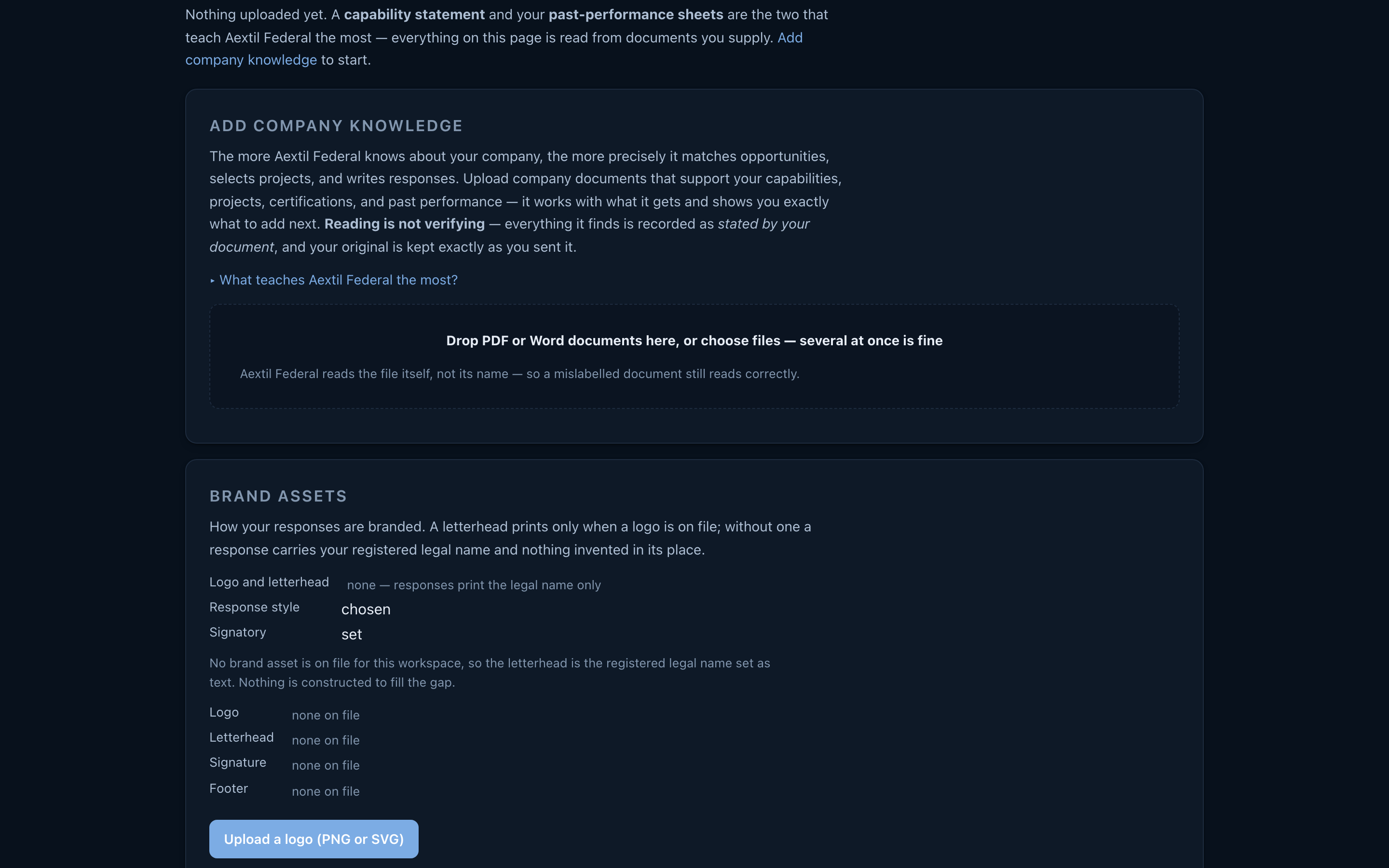
Upload a capability statement and Aextil Federal reads it into a company record: what you do, where, the projects you can evidence, your bonding, your set-aside status. Every fact carries where it came from, and anything it could not establish is asked rather than assumed.
What you get: A company record the product can reason over, not a keyword list you maintain.
 Open full size
02 · Find and qualify the work
Every notice Aextil Federal monitors is evaluated against your actual company.
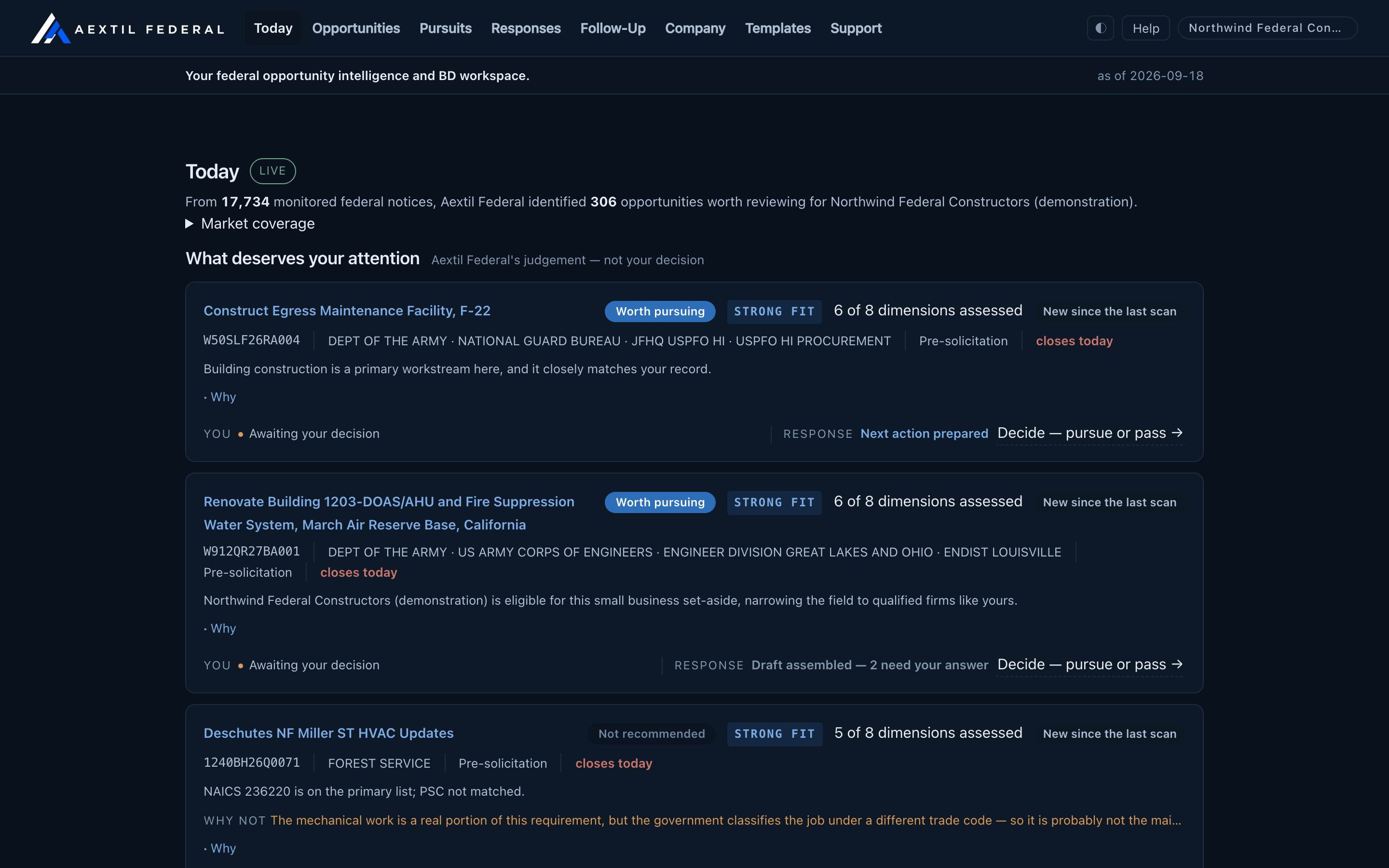
The notices in the set Aextil Federal watches for you are read daily and measured against that record — eligibility, scope, place, magnitude, the deadline, and what the notice actually asked for. The reason a notice reaches you is on the card, so you can disagree with it.
What you get: A short list you can act on, each with the reasoning that put it there.
 Open full size
03 · Prepare and manage the response
A supported response, assembled from evidence you control.
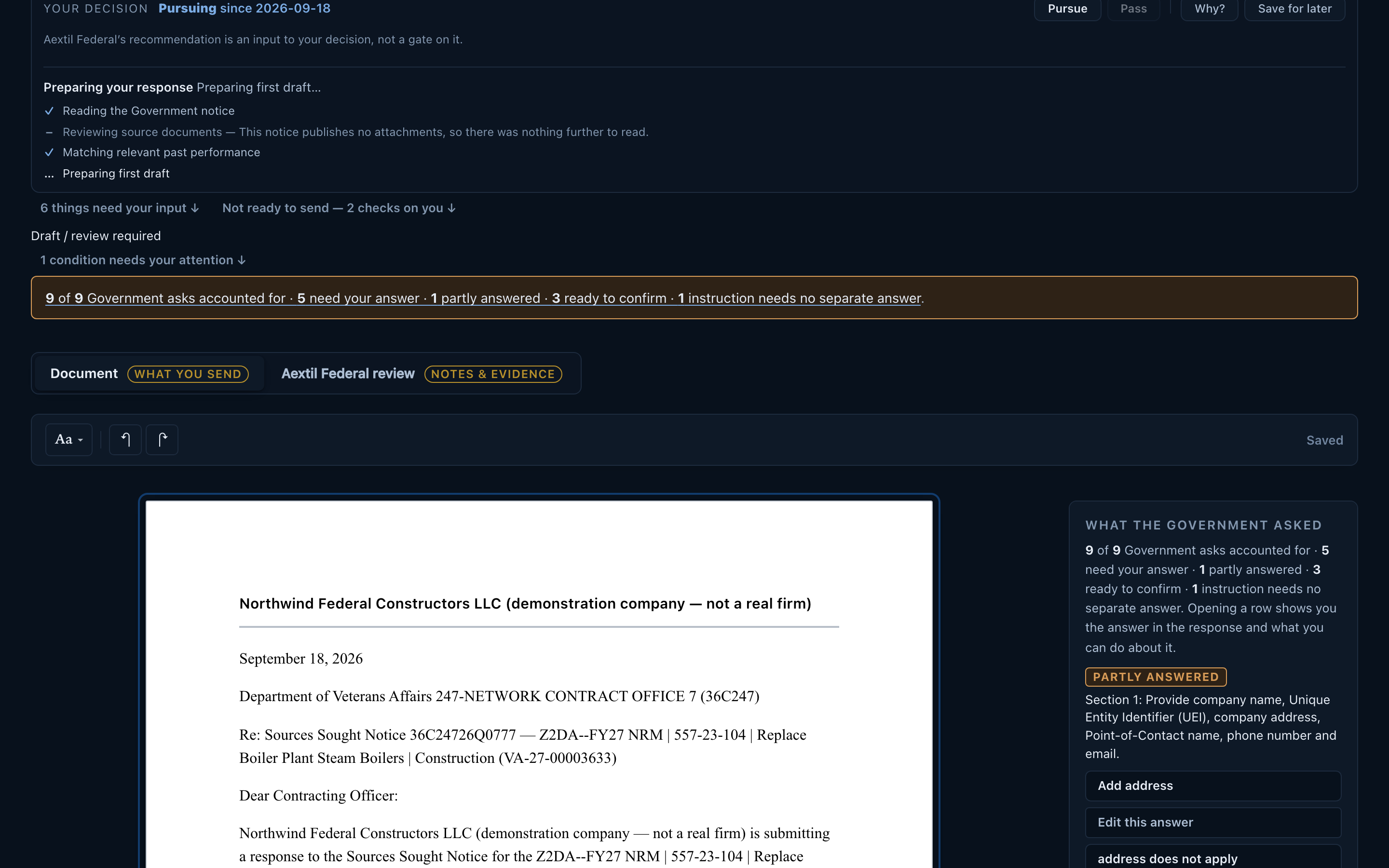
The Government document is drafted from your own approved projects, every Government ask accounted for, every claim traceable to the record it came from. You edit the wording, swap a project, confirm what is yours to confirm — and the decision stays owned after it is sent.
What you get: A response to review and send, and a pursuit that does not become a thing nobody owns.
 Open full size
A walkthrough
Detailed product walkthrough
Ninety-two seconds through the real application: giving it your documents, the record it builds, the ranked day, why one notice fits, the decision recorded on camera, the Government asks, the drafted response, and the pursuit it becomes.
Chapters
Read the walkthrough instead (text transcript, 9 chapters)
The walkthrough has no narration and no sound. This describes what each chapter shows, in order.
-
0:00 Start with what your company already hasCompany → Documents & Assets
The Documents and Assets page. Aextil Federal invites the company's own capability statements, past-performance narratives and project profiles, and states that reading a document is not verifying it — everything found is recorded as stated by your document, and the original is kept exactly as sent.
-
0:10 Aextil Federal reads it into Company FactsCompany → Overview
The Company Profile. Twenty-four projects on file, twenty-seven evidenced capabilities, and a readiness panel separating what Aextil Federal knows from what it could establish if more were added — customer references, the company's role, contract types.
-
0:20 Projects you accept become evidence a response may citeCompany → Projects
The Projects page. Each project carries its value, customer, period of performance and who performed it, with the gaps named, and each shows how many live responses currently rest on it. Uploading a document files a project; accepting it into the portfolio is a separate decision, and only accepted projects may be cited. The counters keep the two apart — on file, in your portfolio, and usable in a response are three different numbers.
-
0:30 Today — the opportunities worth your attention, rankedToday
The daily list. Each notice carries a fit verdict, how many dimensions were actually assessed, the deadline, and the reason it was surfaced — including, on a weak one, why not. Every row ends at the same place: a decision that is awaiting you.
-
0:39 Why this one fits your companyOpportunity — 36C24726Q0777
One opportunity assessed against the record. Aextil Federal names the capabilities the notice describes, the specific projects that support them, and what it thinks matters here — so the judgement can be disagreed with rather than merely accepted.
-
0:49 The decision is yours, and it is recordedResponse Review — the decision
Response Review. The decision bar reads “No decision recorded” beside the line “Aextil Federal's recommendation is an input to your decision, not a gate on it”. Pursue is pressed; the product asks why, offers reasons to choose from, records the decision, and begins preparing the first draft. Nothing decided itself.
-
1:01 Government asks — every one accounted forResponse Review — coverage
The running tally: nine of nine Government questions accounted for — five needing an answer, one partly answered, three ready to confirm. Beside them, and counted separately, one instruction that needs no answer of its own. The letter sits on the left as the Government will receive it, the review notes and evidence on the right.
-
1:11 The response, drafted from your own approved recordResponse Review — the letter
The drafted letter, assembled from approved projects: the company's legal name marked as a demonstration firm, the bonding capacity, the NAICS codes, and each numbered Government section with either the answer or an explicit note that a response is still required before submission.
-
1:21 Pursuits — the work stays yours, and stays ownedPursuits
The pursuit pipeline, now carrying the decision just made. One acquisition is one record — the sources sought, the solicitation it becomes, the amendments and the outcome — with the day each decision was taken. Everything still surfaced and undecided is counted separately and is explicitly not a pursuit.